Case study
All projectsNook
A free, open-source Dynamic Island for Windows. Watch every Claude Code, Codex and Cursor session, approve and reply in one click. 100% local, no telemetry.
- Client
- Personal project
- Type
- Open-source Windows app
- Year
- 2026
- Published
- Live
- nook.zubyr.dev
Stack
- Rust
- Tauri 2
- TypeScript
- Vite
- Win32 via the windows crate
- Named pipes
- WebView2
- NSIS
- GitHub Actions
The problem
You start three Claude Code sessions in three folders and go back to your own work. Some time later you find out one of them stopped at a permission prompt ten minutes ago and has been waiting ever since. The only way to check is to click through terminal windows.
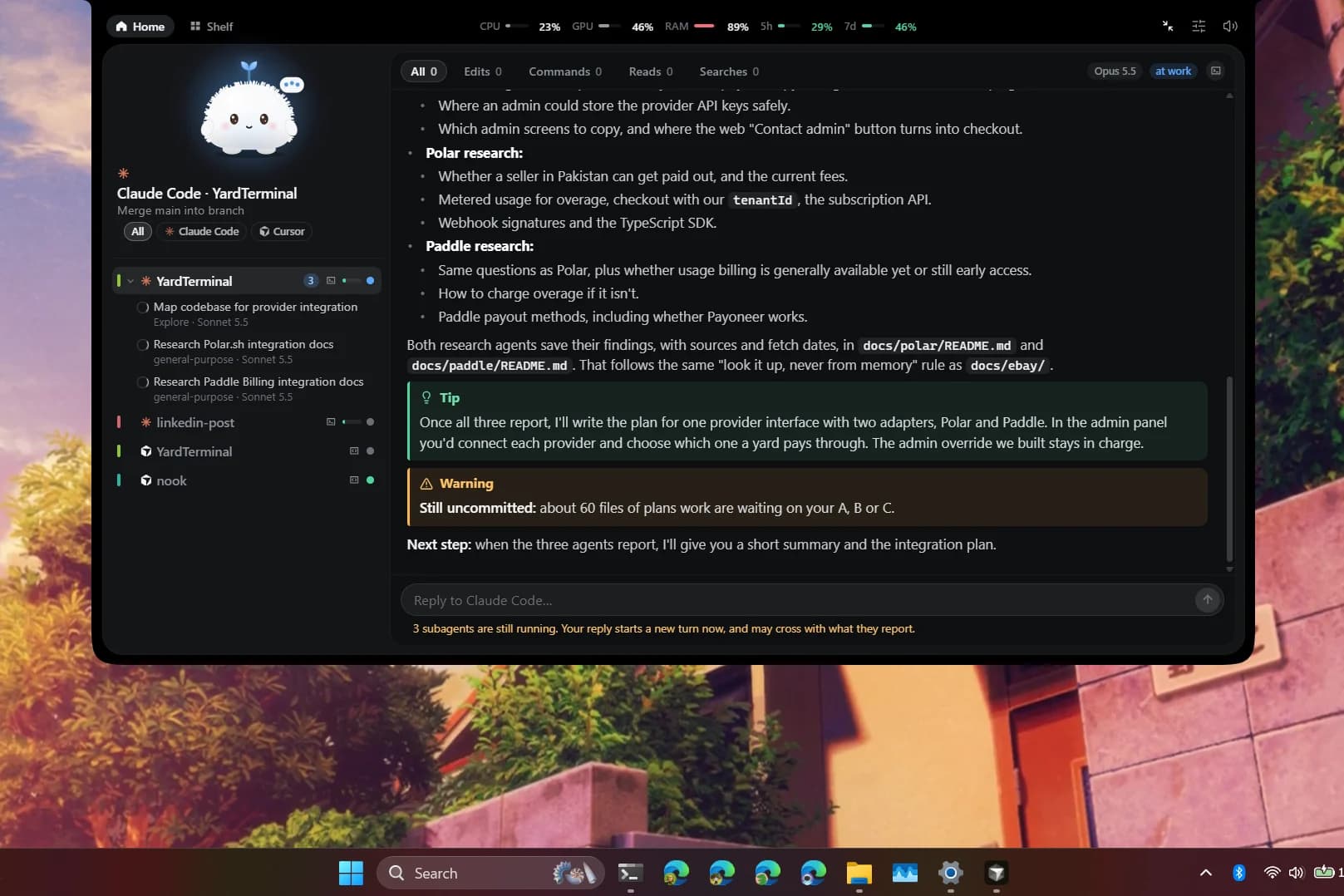
Windows has nothing that shows those sessions together. So I built it: an island at the top of the screen that folds to a thin pill and opens when you point at it, or by itself when a session needs you.
A thing that has to sleep
Nook sits on top of everything, all day, so it has to cost almost nothing. It folds itself to a pill, hides in full-screen apps and uses almost no CPU while hidden. Early on I found two animation loops that never rested and stopped them, and a working island now rests between beats.
It still has a face. Gullu, the little buddy, wears the status of your sessions and reacts to the pointer. The same drawing code runs the character in the corner of this site.
Approach
One rule decides most things: Nook must never get in the way of the tool it watches.
Claude Code runs a small relay, nook-hook.exe, on every hook event. The relay hands the event to Nook over a named pipe that only your Windows account can open, after checking that the other end is really your Nook. If Nook is closed it exits at once with no output, and Claude Code carries on as if Nook weren't installed. Connecting gets 300 ms. An event nobody waits on gets 2 seconds. Only a permission request waits, up to 110 seconds, for your click. After that the terminal asks as it always did.
The same rule gives three more. Nothing is approved without a click, and an edit shows a real diff. Nothing is written to ~/.claude/settings.json without a preview of the change, a dated backup and a click. Usage limits come from Claude Code's own status line, so there's no network call. The only time Nook uses the internet is an update check that stays off until you switch it on.
Cursor is status only. Nook follows just the events that can't change what Cursor does, so it can't allow, deny or delay anything there. I gave up a feature people would like to keep that promise.
The newest piece is replying to a finished session from the island. The first version ran claude -p --resume in the background, so the conversation carried on in a process nobody could see. Now Nook types the reply into the terminal the session runs in, and making sure it's the right tab is the part I wrote up.
Outcome
Nook 0.2.2 is a public release: a 3.3 MB installer under the MIT licence, no telemetry, with a site and guides at nook.zubyr.dev. The repo has 285 Rust unit tests, and CI runs the type check, the build, the tests and Clippy with warnings turned into errors.
The installer isn't code-signed yet, so SmartScreen warns on first run. Signing is planned. I don't have usage numbers to give.
More from the build
Figs. 2–5 — 4 more screens
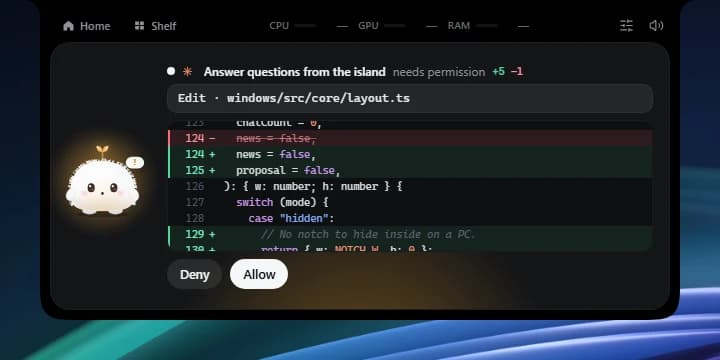
Fig. 2 — An edit waits for a click, and the diff is the real change. Nothing is allowed for you. Made-up session. 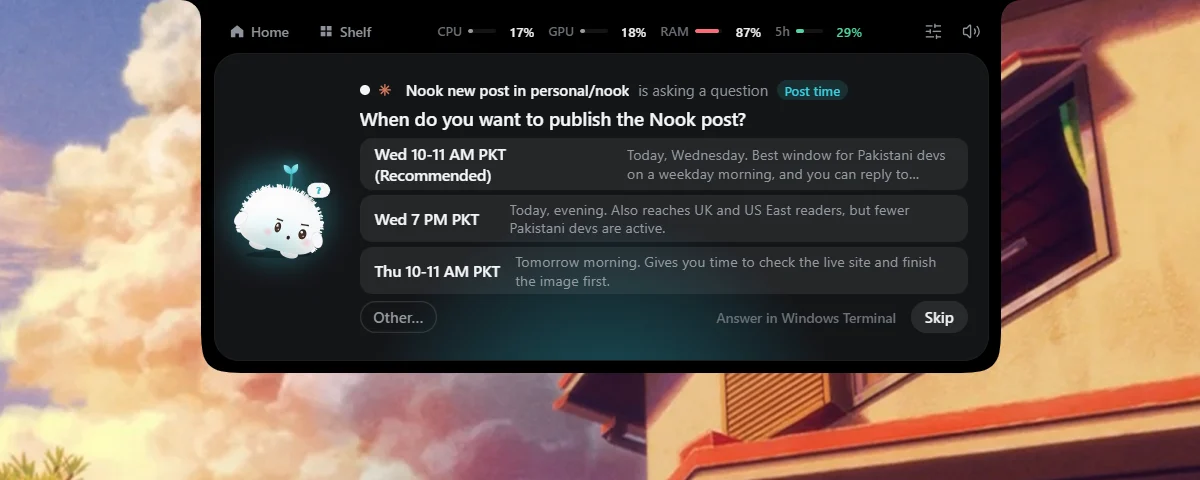
Fig. 3 — Claude Code asking me a question. The answer is a click on the island instead of a trip to the terminal. 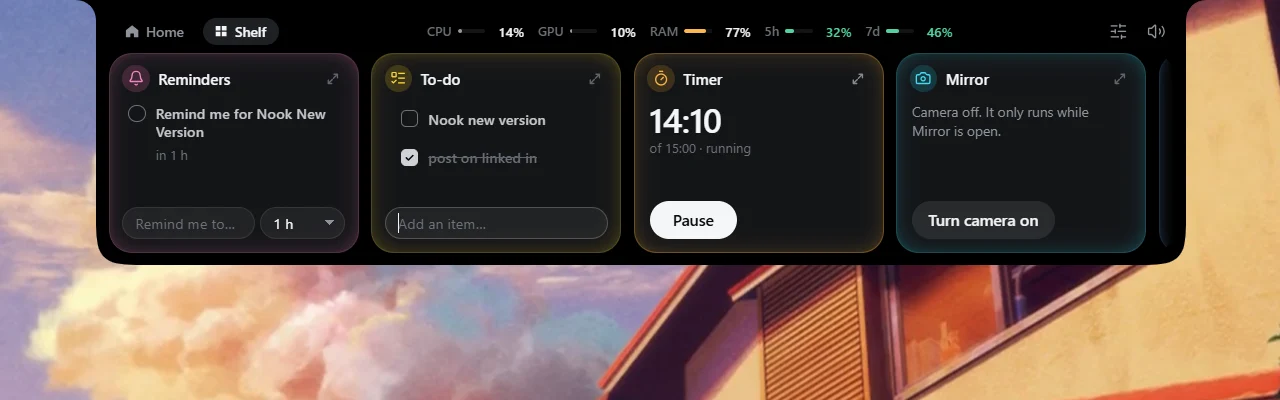
Fig. 4 — The Shelf: small widgets next to the sessions. Swipe between Home and Shelf. 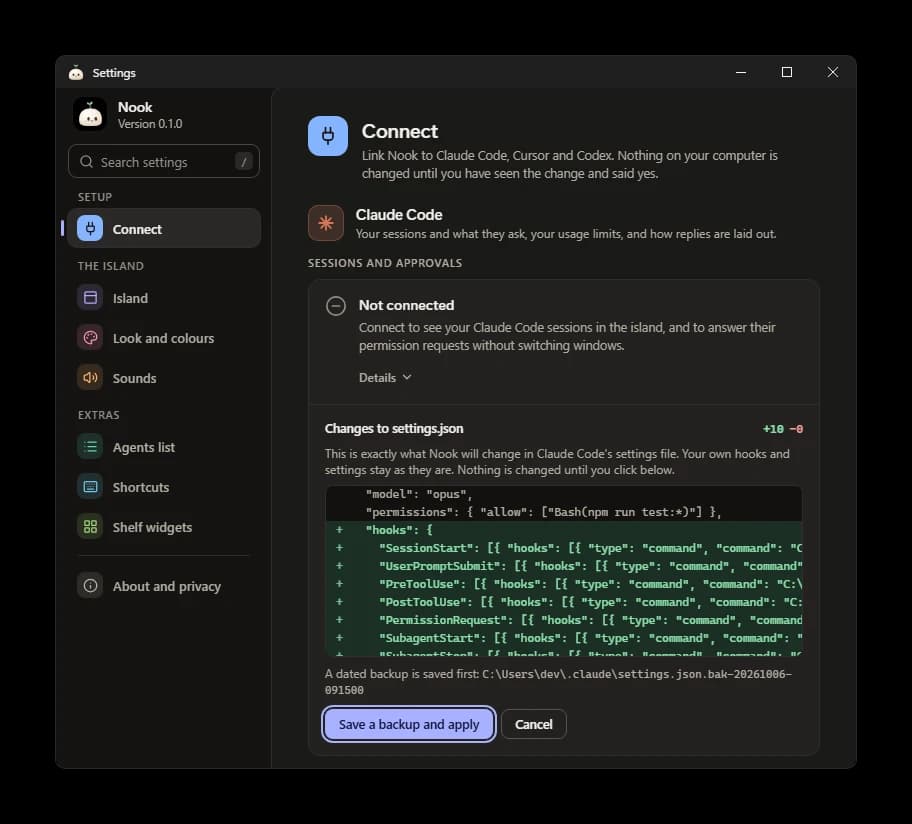
Fig. 5 — Connecting Claude Code. The exact change to settings.json is shown, a dated backup is saved first, and nothing is written until you click.